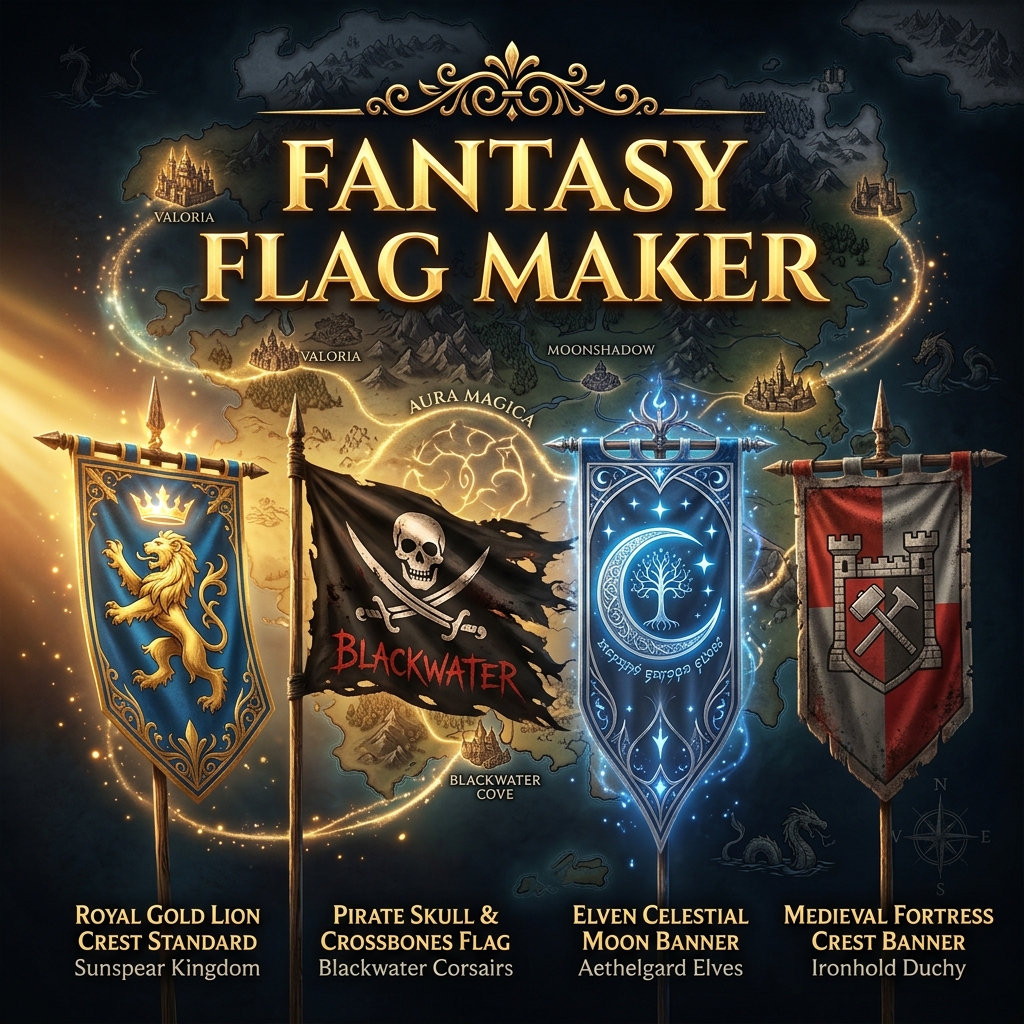
Fantasy Flag Maker: How to Design Worldbuilding Flags
What is a fantasy flag maker?
A fantasy flag maker is a design tool that allows worldbuilders, authors, and tabletop gamers to easily create custom flags for their fictional realms, medieval kingdoms, or pirate crews. Using tools like FlagCreators, you can manually build these flags using vector assets or generate them instantly using AI.
When you are building a fictional world—whether for a novel, a Dungeons & Dragons campaign, or a video game—visual identity brings your lore to life. Nothing establishes the history, culture, and power of a fictional nation quite like its flag.
If you have been searching for a "medieval flag maker" or a "pirate flag generator AI," you know that generic drawing apps can make it difficult to get the right proportions and symbols.
Here is how you can use FlagCreators to build the ultimate fantasy flag.
1. Designing Medieval and Kingdom Flags
Medieval flags (often called banners, standards, or pennants) were heavily influenced by European heraldry. When using our Custom Flag Maker to build a kingdom's flag, keep these heraldic principles in mind:
- The Coat of Arms: Medieval flags often featured a central crest or coat of arms. Look through our vector library for symbols like lions, eagles, griffins, crowns, and swords.
- Divided Fields: Use the canvas tools to divide your flag into halves or quarters (a technique known as quartering), placing different symbols in each section to represent the union of different noble houses.
- Rich Colors: Stick to the classic heraldic color palette: deep reds (gules), royal blues (azure), gold (or), and silver/white (argent).
2. Generating Pirate Flags (Jolly Rogers)
A pirate flag was designed to do one thing: strike fear into the hearts of sailors before the ship even came into cannon range.
While the classic skull and crossbones is iconic, historical pirates often had unique flags featuring hourglasses (signifying time running out), bleeding hearts, and skeletons.
Using AI for Pirate Flags: If you want something truly terrifying and unique, try our AI Flag Generator. Try a prompt like this: "A terrifying pirate flag. A solid black background. In the center, a white skull with glowing red eyes, positioned above crossed cutlass swords. The aesthetic should be gritty and menacing."
Because the AI understands vexillology, it will perfectly center your symbol and ensure crisp edges, ready for you to export or tweak.
3. Creating Flags for Sci-Fi and Fantasy Empires
When designing for a sci-fi empire or a high-fantasy realm (like elves or dwarves), you can bend the traditional rules of flag design.
- Elven Flags: Think flowing lines, celestial symbols (stars, moons), and colors drawn from nature (emerald greens, silver, twilight blues).
- Dwarven Flags: Use rigid geometric patterns, anvils, axes, mountains, and earth tones (browns, dark grays, deep golds).
- Galactic Empires: Sci-fi flags often lean heavily on sharp angles, abstract geometric representations of planets or star systems, and stark, contrasting colors like black, red, and neon accents.
Why Export Quality Matters for Worldbuilders
Whether you are printing your fantasy flag to hang in your game room, or uploading it as a tiny 32x32 icon in a strategy video game, the quality of your file matters.
Raster images (JPGs) become incredibly blurry when you resize them. That is why FlagCreators allows you to export your custom designs as Scalable Vector Graphics (SVG).
An SVG flag can be shrunk down for a digital map or blown up to be printed on a massive physical banner without ever losing a single pixel of quality.
Start Building Your World
You don't need a degree in graphic design to make your fictional world look professional.
Launch the Flag Maker Canvas to start dragging and dropping heraldic symbols, or Try the AI Flag Generator to let artificial intelligence bring your lore to life in seconds!
Ready to apply these concepts?
Start designing your own custom flag using our free AI-powered canvas editor.